How to Make a Platformer Game From Scratch
So, you want to know how to make a platformer game? The secret isn't buried in dense coding manuals anymore. It’s all about shifting from complex code to creative conversation. Using a platform like https://makegameswithai.com/, you can build a complete game just by describing what you want in plain English. Ideas like 'make the character jump higher' can become a playable reality in minutes, ready to be shared and climbed on our global leaderboards.
Your Platformer Dream Starts Now
Have you ever had a brilliant idea for a 2D platformer—full of treacherous jumps, hidden collectibles, and quirky enemies—only to hit a wall at the thought of writing thousands of lines of code? Well, that wall has officially come crumbling down. Game development has gotten a whole lot friendlier, with new tools that put your creativity front and center.
Powerful game engines have already done a lot to open the doors. In 2024, Unity reported that over 70% of new mobile games were built on its platform, which just goes to show how professional tools are empowering smaller creators. You can read more about how the industry is changing and shaping the way we all make games over on our blog: https://makegameswithai.com/blog/
But we think it can be even simpler. At MakeGamesWithAI.com, we’ve pretty much nuked the technical hurdles from orbit. Our platform uses a conversational AI editor that acts as your personal game developer, translating your instructions directly into game mechanics. This guide will walk you through the entire creative journey, from that first "what if?" moment to a published game people can actually play on our global games portal found at https://makegameswithai.com/games.
From Idea to Published Game
Building a game with AI boils the old, complicated development process down into three straightforward stages. You dream up an idea, you bring it to life through conversation, and then you share it with the world. It’s a beautifully simple path from imagination to finished product.
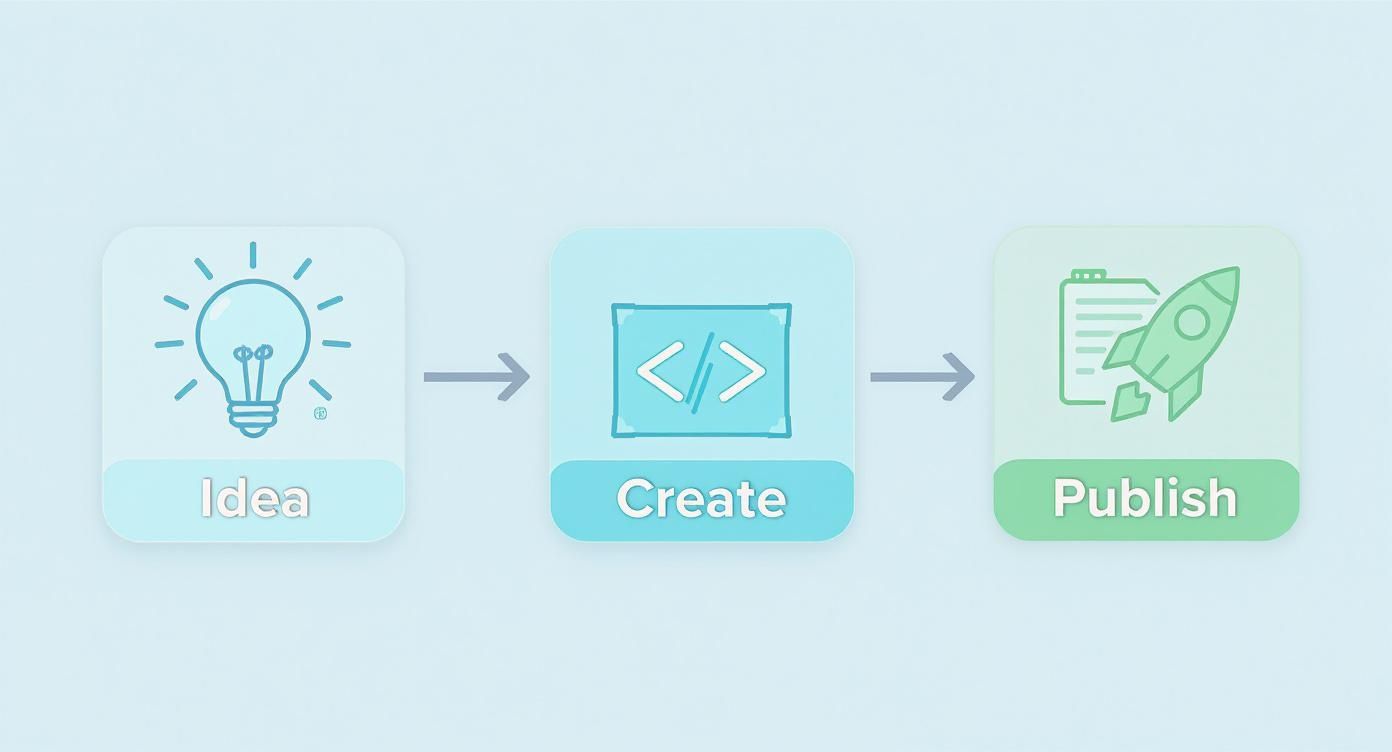
The real magic here is the speed. This approach is built for rapid prototyping and tinkering. You can test out a wacky idea, see if it's fun, and make changes on the fly without any technical roadblocks slowing you down. It’s about finally making the leap from player to creator.
What to Expect in This Guide
We’re going to take you through the whole nine yards of creating your very own platformer. This isn't just theory; it's a hands-on roadmap to building and launching your first game.
Here's what you'll be doing:
- Dreaming up a unique concept for your hero and the world they inhabit.
- Using simple English commands to sculpt levels and inject fun mechanics.
- Crafting engaging challenges with clever enemies and interactive objects.
- Publishing your game and seeing it go live in our global arcade for everyone to try.
The whole point is to make game creation feel more like a fun, creative conversation and less like a frustrating technical exam. You supply the vision, and our AI handles the grunt work.
Forget about the intimidating learning curve. If you follow this guide, you’ll be designing your first level and seeing real, playable results in just a few minutes. Let's get building.
Defining Your Core Gameplay and Hero

Before you even think about laying down your first platform or programming an enemy's patrol route, your game needs a soul. What's the killer idea? The hook that makes someone pick your platformer out of the sea of countless others? This is where we nail down the big picture: your core concept, your hero's personality, and the gameplay loop that's going to get players hooked.
The best part? With a tool like MakeGamesWithAI.com, you're not just scribbling these ideas in a notebook. You can turn them into something playable almost instantly, which is a massive game-changer.
This is the "no bad ideas" phase. Go wild. Are we making a game about a time-traveling penguin on a quest for frozen fish? A slick ninja who can scramble up walls? Or maybe a tiny robot fueled by static electricity, letting it cling to ceilings? A strong, unique theme is your north star—it guides your art style, level design, and the kind of challenges you'll create.
Nailing Down Your Hero and Their Moves
Your hero is the player's avatar, their connection to your world. How they move and interact with everything is paramount. In a platformer, movement is everything. It has to feel right.
So, what makes your hero special?
- Jumps: Is it a standard hop? A floaty, graceful arc? Or a punchy, satisfying double jump?
- Special Moves: Can they air-dash through hazards, slide down walls, or maybe perform a ground-pound that shatters blocks below?
- Unique Traits: Maybe your character can shrink to squeeze into tiny gaps or turn invisible to sneak past security drones.
These abilities are the building blocks of your core gameplay loop—the rhythm of actions the player does over and over. Jump, collect, dodge. A good loop feels intuitive, addictive, and makes players feel like they're getting better.
Think about a ghost character. The loop might be phasing through a wall to dodge a trap, grabbing a soul orb on the other side, and then reappearing. Each action flows into the next. That's the rhythm we're after.
Bringing Your Hero to Life with AI
Here's where the magic really happens. Instead of banging your head against lines of code to get a jump to feel just right, you just… talk to the game. Using the conversational editor on the MakeGamesWithAI platform, you can piece together your hero's entire moveset in a few minutes.
Let’s imagine we’re building that game with the super-agile squirrel. You could literally just type these commands into the editor:
Give the player a double jumpLet the player slide down walls by holding the jump buttonCreate a dash move that the player can use every 3 secondsMake the player's tail spin to slow their fall
You see the results in real-time. You can immediately playtest it and tweak on the fly. Does the double jump send you into orbit? Just tell the AI, reduce the player's jump height by 20%. This kind of rapid-fire feedback is incredible for dialing in the fun.
The goal here is to give your game a crystal-clear identity. You want players to describe it to their friends and say, "Oh, you gotta play this game! You're a cyborg hamster with a grappling hook!" A killer concept and a fun hero are your foundation.
Figuring Out What Players Actually Do
Okay, so we have our hero and their awesome moves. Now, what's their purpose? We need to define the game's objectives and the stuff they'll be interacting with. Again, this is where using an AI-powered tool just makes everything faster.
What's the main goal?
- Collectibles: Are players hunting for coins, gems, or maybe… chrome-plated carrots? A simple prompt like
create a coin that gives the player 10 points when collectedcan instantly populate your world with things to grab. - Goals: Is the point to reach an exit, take down a big boss, or maybe find three hidden keys to unlock the final door? You can set up these rules just as easily.
- Scoring: Tying actions to a score is a classic way to keep people coming back for "just one more run." Many of the best community games you can check out on our Games page nail this with simple but incredibly addictive scoring systems.
By locking in your hero, their moves, and their mission from the get-go, you're creating a solid blueprint. It ensures every platform, enemy, and trap you add later serves a real purpose, making your game feel tight and intentional from the very first jump.
Let's Build a World With a Few Words

Alright, your hero is ready to roll with a solid set of moves. Now, where do they go? A floating sky castle? A spooky, treacherous dungeon? A whimsical forest? It's your call.
This is where the real fun begins, and you'll see just how different learning how to make a platformer game with AI can be. Forget about the tedious nightmare of placing every single tile by hand or wrestling with X/Y coordinates. With MakeGamesWithAI.com, you're the director, and the AI is your hands-on construction crew, building your world one simple command at a time.
Honestly, it feels less like coding and more like you're just having a chat. The conversational editor is your mission control, ready to translate your typed-out brainwaves into actual, playable level chunks. It’s a wildly intuitive way to create, letting you stay laser-focused on the design without getting stuck in the technical mud.
Your First Building Blocks
Let's get our hands dirty. The heart of building a level here is just telling the AI what you want, where you want it. The commands are plain English, so the learning curve is practically a flat line.
You can start by just dropping in the essentials:
- Laying down some ground: A simple
place a grassy platform at x 100 y 200gets the job done instantly. Boom, a new piece of terrain appears. - Adding a little danger: Want to dial up the heat? Just type
add a spike trap hereand watch it pop into existence, ready to challenge your player. - Making things move: You can even create dynamic stuff with commands like
create a moving platform that goes back and forth horizontally.
This instant feedback is what makes the whole thing click. You see your world coming to life in real-time as you describe it, without ever having to compile code or switch windows. It turns level design from a chore into a fast, fun, and creative jam session.
The whole point is to get you from a blank screen to a playable prototype in minutes, not hours. By kicking the technical hurdles to the curb, you're free to just think about what makes a level fun to play: the flow, the challenge, and the pure joy of it.
Thinking Like a Level Designer
Of course, a great level isn't just a random jumble of platforms and bad guys. You're crafting an experience. A well-designed level teaches the player new tricks without a single pop-up tutorial and guides them along with a satisfying rhythm of challenge and reward.
As you start building, keep a few of these classic design pillars in your back pocket:
- Risk vs. Reward: Tuck a shiny collectible behind a nasty spike pit. This simple setup creates a juicy choice for the player. Is that gem worth the risk?
- Follow the Breadcrumbs: A simple trail of coins can do more than just add to the score; it can subtly point the player down the right path or hint at a hidden secret.
- Pacing is Everything: Don't throw all your cool ideas at the player in the first ten seconds. Introduce a new enemy or a tricky jump, let them master it, and then start combining those elements for a real test of their skills.
Prototyping at Lightning Speed
The biggest win with this conversational approach? The sheer speed of iteration. Got a wild idea for a crazy jump sequence? You can build it, play it, and tweak it in less than a minute.
Here's what that looks like in practice:
| Action | Example Command | The "Why" |
|---|---|---|
| Build | place two platforms 150 pixels apart |
Create the initial jump challenge. |
| Test | (Play the game for a few seconds) | Does it feel impossible? Too easy? |
| Tweak | move the second platform 20 pixels closer |
Fine-tune the difficulty on the fly. |
This ridiculously fast feedback loop is a total game-changer because it encourages you to experiment. You can try out off-the-wall ideas without sinking hours into them. What if the floor was made of bouncy mushrooms? Just tell the AI, make all brown platforms bouncy. If it plays terribly, you can undo it in a second.
This power to prototype and polish is what separates the good levels from the great ones. If you want to dive deeper into this philosophy, our guide on testing and feedback has a ton of great insights. AI-powered tools are amazing at this, letting you find the fun faster than ever before.
Let's Add Some Danger: Enemies and Interactive Mayhem
Alright, you've built the bones of your world. The platforms are in place, the jumps feel okay, but let's be honest—it's a ghost town. A platformer without something to dodge, stomp, or outsmart is just a fancy walking simulator. It's time to inject some life and, more importantly, some danger into your creation.
This is where the fun really starts. We're going to populate your level with enemies and interactive gadgets that will keep players on their toes. And the best part? We'll do it all with simple, plain-English commands on MakeGamesWithAI.com, no coding degree required.
Waking Up the World with Your First Baddies
An empty level just feels… dead. The moment you add a single moving element, whether it's a grumpy-looking slime shuffling back and forth or a rickety moving platform, the whole experience comes alive. That little bit of movement creates tension and makes the world feel dynamic.
So, let's start with the classics. Think about the bad guys you've stomped on in countless platformers. They often fit into a few simple-yet-effective categories, and you can create them in seconds.
Let’s use the conversational editor to whip up a few enemy archetypes:
- The Patroller: This is your bread-and-butter baddie. It just marches back and forth, daring the player to time their jump perfectly. A true classic.
- Try this command:
Create a green slime enemy that patrols back and forth on this platform.
- Try this command:
- The Flyer: Suddenly, the player has to worry about what's happening above them. Flying enemies add a whole new dimension of threat.
- Try this command:
Make a flying drone enemy that moves up and down on the right side of the screen.
- Try this command:
- The Shooter: This one changes everything. Now, players can't just focus on jumping; they have to dodge, too.
- Try this command:
Create a stationary turret that shoots a fireball at the player every 3 seconds.
- Try this command:
Boom. Your enemies instantly appear and start doing their thing. The real magic here is how fast you can tweak them. Is that turret firing way too often? Just type, Change the turret's fire rate to 5 seconds. This rapid-fire experimentation is how you discover what's actually fun and balanced.
Making the Level Itself a Challenge
Great platformers aren't just about the enemies; the world itself is part of the puzzle. Interactive elements turn a static set of platforms into a dynamic, unpredictable playground. They can create new paths, hide secrets, or just cause some delightful chaos.
Here are a few ideas to get your creative gears turning:
- Moving Platforms: The quintessential test of timing and nerve.
- Breakable Walls: Perfect for hiding secret areas or rewarding curious players.
- Bouncy Springs: Use these to fling the player to new heights or create frantic, pinball-like action sequences.
- Hidden Power-ups: Tuck an invincibility star or a speed boost into a tricky spot to reward players who explore.
The goal is to make your environment more than just scenery. When players realize the world reacts to them in surprising ways, they'll start poking at every wall and jumping on every weird-looking object, which is exactly what you want.
The Power of a Simple Sentence
The real game-changer with this conversational approach is how you can stack simple ideas to create complex, interesting behaviors. Forget wrestling with code for hours—just say what you want.
To really drive this home, let's look at how creating common platformer mechanics stacks up against the old-school way of doing things.
Implementing Platformer Gameplay Elements
| Feature | Traditional Coding Approach | MakeGamesWithAI Command |
|---|---|---|
| Bouncy Platform | Define a platform class, add a physics material with high bounciness, and write collision detection logic to apply upward force. | Make this platform bouncy. |
| Patrolling Enemy | Script an AI controller, define waypoints or platform edge detection, handle sprite flipping, and manage movement in an update loop. | Create an enemy that patrols this platform. |
| Timed Door | Code a door object, a switch object, and a timer. Implement logic to open the door on a trigger and close it after a set delay. | Add a switch that opens that door for 5 seconds. |
| Falling Platform | Add a rigidbody, detect player collision, start a coroutine to wait, then disable the kinematic property to let gravity take over. | Make this platform fall one second after the player touches it. |
See what I mean? It's almost comical how efficient this is. The kinds of features that would normally have you digging through documentation and debugging syntax errors for an afternoon are handled with a single, intuitive command.
This frees you up to focus on what actually matters: designing a fun experience. You can see some incredibly clever examples of these mechanics in action over at the MakeGamesWithAI Games portal, all built by creators just like you.
Time to Share Your Masterpiece with the World
You did it. You wrestled with tricky jumps, coded some seriously cheeky enemies, and tweaked your hero's movement until it felt just right. You've officially built a game! Now for the best part—getting it in front of actual players.
This is the victory lap. We're about to take off our developer hat and put on our publisher one. Let's walk through the final steps of playtesting, adding that last bit of polish, and launching your game for everyone to enjoy on MakeGamesWithAI.com.
The All-Important Final Polish
Before you smash that publish button, you absolutely need to get some fresh eyes on your game. Trust me, you're way too close to it now. What feels like an intuitive leap to you might be an impossible chasm for someone playing for the first time.
The beauty of MakeGamesWithAI.com is that you don't need some formal, stuffy QA process. You can just grab a friend and make changes on the fly.
Is one particular jump causing everyone to rage-quit? Just pop open the conversational editor and say something like, 'reduce the gap between these two platforms.' Is that one red slime just a little too feisty? A quick 'make the red slime move 30% slower' will do the trick. This ridiculously fast feedback loop lets you iron out the wrinkles in minutes, not hours.
Remember, the goal here isn't to make the game easy. It's to eliminate unnecessary frustration. A good challenge makes a player feel like a genius when they finally beat it. A frustrating one just makes them close the tab.
Go Live with a Single Click
Once you're feeling good about the game's flow and challenge, publishing is almost laughably simple. You can forget all about the headaches of hosting, server setups, or deployment pipelines. We take care of all that boring stuff.
With one click, your game is live on the MakeGamesWithAI Games portal. Think of it as our own little indie arcade, packed with games made by creators just like you.
And just like that, your game is real. It has a link. It's playable by anyone you send it to. Time to text your friends and family and show them what you've been working on.
See Your Game on the Global Ranks
Getting your game published is awesome, but keeping people playing is the real magic. So, how do you do that? Simple: a little friendly competition.
One of the coolest things about our platform is that every single game you create is automatically hooked into our global leaderboard system. You don't have to lift a finger.
This instantly gives your game a competitive spark. It encourages players to replay levels, perfect their runs, and fight for that coveted #1 spot against a worldwide community. Just imagine seeing players from completely different countries battling for the high score on the game you made.
Let's be real, the gaming market is huge—it hit a wild $187.7 billion in revenue in 2024. Studies even show that games with social features like leaderboards can boost revenue by 20–40%. If you're curious, you can dive deeper into how market trends are shaping gaming's future and check out other fascinating video game statistics.
By plugging into this competitive drive, you're giving players a powerful reason to stick around. Your fun little platformer just became a global arena, and it's waiting for its first champion.
Your Questions Answered: Getting Started With AI Game Creation
Jumping into a new creative tool, especially one that turns your imagination into an actual, playable game, is bound to bring up a few questions. How does this even work? What are the limits? Can I really build a whole platformer just by… talking? Let's dive into some of the most common questions we hear from new creators at MakeGamesWithAI.com.
We get it. The whole idea sounds a bit like magic. But trust us, it’s a straightforward and powerful process designed to keep you in the creative driver's seat, not stuck in a troubleshooting manual.
Do I Need to Bring My Own Art and Sound?
This is probably the number one question we get, and the answer is a huge, resounding NO. You don't have to be a pixel artist or a sound designer to make a game that looks and feels fantastic.
Our platform is loaded with a massive built-in library of professional characters, tilesets, enemies, and sound effects. It's all ready to go. Just pick what you like. Or, if you're feeling adventurous, tell the AI to generate something completely new for you. Need a grumpy, purple mushroom that shoots spikes? Just ask.
Just How Smart Can the Game Logic Get?
You’d be genuinely surprised. While you might start with simple commands like "make the player jump higher," you can layer these instructions to build some impressively deep and engaging gameplay. We're talking way beyond your basic run-and-jump stuff.
Just to give you an idea of what’s possible, here are a few things you can create:
- Multi-stage boss battles where the enemy switches up its attack patterns.
- Special triggered events, like a hidden bridge that only appears after you've collected three magic keys.
- Secret exits in levels that unlock entirely new bonus stages.
- Player power-ups, like a temporary jetpack that lets you fly over obstacles.
The best way to tackle this is to start small. Nail down your core gameplay loop first, then start layering in new, crazier ideas as you get a feel for the conversational editor. It's all about building complexity one simple command at a time. For some brilliant deep dives into game design, check out the articles from our very own Runion Maxwell on the MakeGamesWithAI blog.
Think of the AI as your co-pilot. It’s a master of the technical stuff—the "how"—so you can stay laser-focused on the fun part: the "what." So, what cool idea are you going to try next?
Can I Monetize the Games I Create?
Right now, our platform is all about the pure joy of creation. It's built for making cool stuff, sharing it with friends, and sparking that awesome competitive spirit on our global leaderboards. Our main goal is to give you the fastest, most frictionless way to bring your ideas to life and get them in front of a huge community of players.
That said, the game industry is always shifting. Monetization strategies are constantly evolving, with in-game purchases projected to pull in a mind-boggling $74.4 billion worldwide by 2025. As these trends continue, we're always looking at new possibilities for our creators. For now, the ultimate prize is seeing your name in lights at the very top of the leaderboards.
Ready to stop thinking and start making? With Make Games With AI, your dream platformer is just a conversation away. Go build your first game for free and see for yourself how easy it is to make something real. Start creating now at makegameswithai.com!