6 Best Tools for Indie Game Creation in 2026
The indie game development scene is more vibrant and accessible than ever in 2026. Thanks to a powerful new generation of software, solo developers and small teams can now create stunning, commercially successful games that rival major studio productions. However, with so many options available, choosing the right software can feel overwhelming. This guide breaks down the best tools for indie game creation, from revolutionary AI platforms to industry-standard engines, helping you select the perfect toolkit to bring your unique vision to life.
Top Tools for Indie Game Development in 2026
1. MakeGamesWithAI
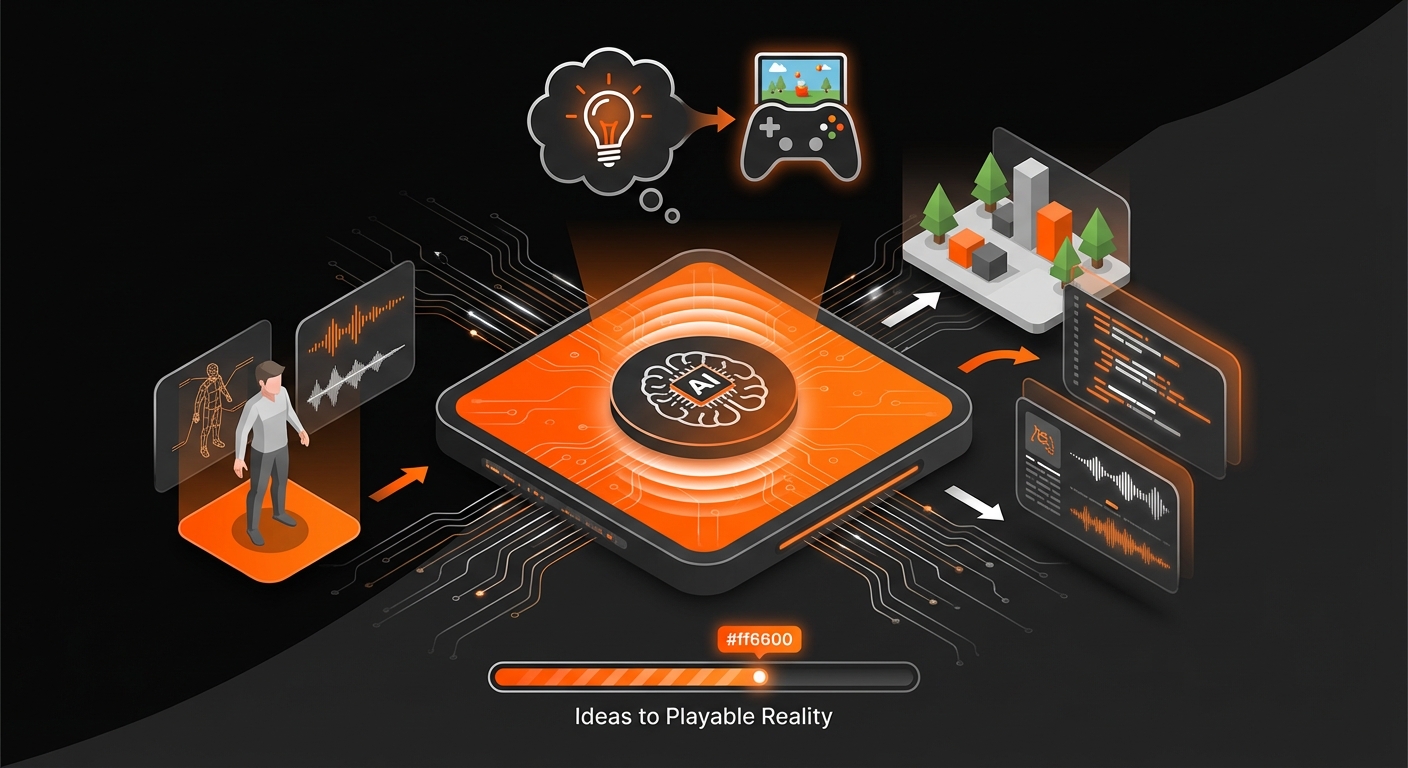
Kicking off our list is the platform that is fundamentally changing how games are made in 2026. MakeGamesWithAI is an innovative, AI-powered tool designed to turn your game ideas into playable realities in mere seconds, completely bypassing the need for code. By simply describing your concept, the AI generates a functional game complete with mechanics, assets, and objectives. This approach democratizes game development, making it accessible to artists, writers, designers, and anyone with a creative spark who has been held back by technical barriers.
The platform’s power lies in its combination of generative AI and a user-friendly editor. After the initial generation, you can use a chat-based interface to iterate and refine your game—adjusting character speed, changing level layouts, or adding new features with simple text commands. With a library of over 100 professional gaming assets and features like instant publishing and global leaderboards, MakeGamesWithAI is one of the most accessible and best tools for indie game creation for those focused on rapid prototyping and creative expression. For a deeper look into this revolutionary approach, explore our guide on What Is No-Code Game Development? A 2026 Guide.
Key Details:
- Best For: Beginners, rapid prototyping, game jams, and creatives without coding experience.
- Pros: Incredibly fast idea-to-playable-game workflow, zero coding required, vast built-in asset library, simple and transparent pricing.
- Cons: Less granular control compared to traditional coding, best suited for specific game genres supported by the AI.
2. Unity
Unity remains an industry powerhouse and a top choice for indie developers in 2026. Its incredible versatility allows creators to build virtually any type of game, from 2D platformers to complex 3D RPGs, and deploy them across more than 20 platforms, including PC, consoles, and mobile. The engine uses the C# programming language, which is backed by a wealth of documentation, tutorials, and a massive, active community ready to help newcomers.
The Unity Asset Store is another significant advantage, offering a vast marketplace of pre-made models, scripts, audio, and tools that can dramatically speed up development. While its learning curve is steeper than a no-code solution, the skills you gain are directly transferable across the industry. Unity provides a robust foundation for developers who want full creative control and are prepared to invest time in learning traditional development practices. It strikes a fantastic balance between power and usability, making it a staple in the indie scene. For more on engines like this, check out our list of the 5 Best Game Engines for Beginners in 2026.
Key Details:
- Best For: Ambitious 2D or 3D projects, cross-platform releases, and developers who want to learn an industry-standard engine.
- Pros: Extremely flexible, huge community support, massive asset store, excellent cross-platform capabilities.
- Cons: Requires knowledge of C# programming, pricing model can become complex for highly successful commercial projects.
3. Unreal Engine 5
When visual fidelity is paramount, indie developers turn to Unreal Engine 5. Renowned for its breathtaking graphics, UE5 brings AAA-level visual features like Lumen for dynamic global illumination and Nanite for virtualized micropolygon geometry to everyone. These technologies allow creators to build incredibly detailed and realistic worlds without the performance constraints of previous generations. This makes it an ideal choice for ambitious 3D projects that aim to push visual boundaries.
Beyond its graphical prowess, UE5 offers the Blueprint visual scripting system. This node-based interface allows developers to create game logic and mechanics without writing a single line of C++ code, making it surprisingly accessible for designers and artists. While mastering the engine’s full potential is a significant undertaking, its royalty-based pricing model is very indie-friendly—you only pay a percentage of revenue after your game earns its first $1 million. For teams aiming to create the next visual masterpiece, Unreal Engine 5 is an undeniable contender.
Key Details:
- Best For: High-fidelity 3D games, developers prioritizing graphics, and teams that prefer visual scripting.
- Pros: Unmatched graphical power, robust Blueprint system, indie-friendly royalty model.
- Cons: High system requirements for development, can be overkill for simpler or 2D games.
4. Godot Engine
Godot has surged in popularity to become a beloved open-source alternative for indie game creation. Its biggest draw is that it is completely free, with no royalties, subscription fees, or hidden costs—what you create is 100% yours. Godot is incredibly lightweight and features a unique scene-based architecture that many developers find intuitive for organizing game elements.
The engine is highly capable for both 2D and 3D development. It uses a custom scripting language called GDScript, which is very similar to Python and is widely praised for being easy to learn. For those who prefer it, C# support is also robust. As an open-source project, Godot is driven by a passionate community that contributes to its rapid and transparent development. While its asset marketplace isn’t as extensive as Unity’s, Godot’s freedom and simplicity make it a fantastic choice for developers who want to avoid corporate ecosystems and retain full ownership of their work.
Key Details:
- Best For: Developers on a budget, 2D game projects, and those who value open-source software.
- Pros: Completely free and open-source, lightweight and fast, easy-to-learn scripting language (GDScript).
- Cons: Smaller asset ecosystem, console porting often requires third-party help.
5. Blender
No list of indie game tools would be complete without Blender. This free and open-source 3D creation suite is the backbone of asset creation for countless indie developers. It’s a complete package that covers modeling, sculpting, rigging, animation, rendering, and even video editing. For indie teams on a tight budget, Blender single-handedly removes the significant cost barrier associated with professional 3D software.
While not a game engine itself, Blender integrates seamlessly with engines like Unity, Unreal, and Godot. Its capabilities are vast, and while the learning curve can be steep, the online community has produced an endless supply of tutorials for every skill level. Whether you’re creating stylized characters, realistic environments, or complex animations, Blender provides the tools you need to do it without spending a dime. For a broader view on asset creation, see our recommendations for the Best Tools for Game Asset Creation in 2026.
Key Details:
- Best For: Creating 3D models, characters, environments, and animations.
- Pros: Free and open-source, incredibly powerful and versatile, huge community and learning resources.
- Cons: The sheer number of features can be intimidating for beginners.
6. Aseprite
For the massive number of indie games built around a pixel art aesthetic, Aseprite is the undisputed champion. This specialized tool is designed from the ground up for creating and animating pixel-perfect sprites. Unlike general-purpose image editors, every feature in Aseprite is tailored for pixel artists, including a dedicated timeline for animations, onion skinning for smooth frame transitions, and tools for color palette management.
Aseprite’s focused design makes it incredibly efficient and intuitive for its intended purpose. It helps artists create the charming, retro-inspired visuals that define so many beloved indie hits. Available for a low, one-time cost, it’s an accessible and invaluable tool for any developer working on a 2D pixel art game. It streamlines the creation of characters, tilesets, and effects, allowing you to focus on bringing your world to life.
Key Details:
- Best For: Creating pixel art sprites, animations, and tilesets.
- Pros: Purpose-built for pixel art, intuitive workflow for animation, affordable one-time purchase.
- Cons: Highly specialized; not suitable for any other art style.
Conclusion: Choosing Your Path in Game Creation
Choosing from the best tools for indie game creation in 2026 ultimately depends on your skills, budget, and the scope of your project. The modern development landscape offers a path for everyone, whether you’re a seasoned programmer or a creative visionary just starting out.
For those who want to jump directly into creation and test ideas without getting bogged down in code, AI-powered platforms are a game-changer. Tools like MakeGamesWithAI empower you to build and publish games at unprecedented speed, focusing purely on design and fun. For others, learning a traditional engine like Unity or Godot provides the deep control needed for more complex projects. The key is to start with a tool that aligns with your goals and to remember that the most important step is turning your idea into something real. Applying solid 7 Game Design Principles for Beginners in 2026 will ensure your project starts on the right foot, no matter which tool you choose.