How to Design a Video Game From Concept to Playable Prototype
So, you want to design a video game? It's a journey that starts with a creative spark and ends with a world governed by rules, player actions, and a whole lot of fun. The whole process really boils down to a few key stages: dreaming up your concept, figuring out the core gameplay mechanics, building the world, prototyping your idea, and then polishing it with feedback. Using a modern tool like MakeGamesWithAI, you can generate a playable game from a simple text prompt, getting you straight to the fun part of refining your idea.
Your First Steps in Game Design
Ever had a brilliant game idea pop into your head, only to feel that crushing weight of "how on earth do I even start?" You're in good company. Countless would-be game makers get stuck right at the beginning, picturing a mountain of code and complex art they have to create.
Here’s the good news: that's the old way of thinking. The path from a simple idea to a playable game is wide open now. Modern tools have torn down the old barriers, letting you get straight to the good stuff: the design.
At its heart, game design isn't really about programming—it's about creating an experience. It's about answering the big questions that define what a player will see, do, and feel.
- What's the big idea? A frantic platformer? A brain-bending puzzle game? A sprawling open-world epic?
- What does the player actually do? Jumping, shooting, collecting, building… these are the verbs that form the core of your game.
- What's the point? A clear goal is everything. It's the reason a player keeps playing, whether that’s saving a kingdom or just beating their own high score.
This is exactly why we built MakeGamesWithAI. It’s for people who want to skip the technical hurdles and get right to designing. You don't need to write a single line of code. Just describe your game idea, and you can have a playable prototype ready to test in minutes. Not months.
From Idea to Launch
The entire journey from a napkin sketch to a finished game can be boiled down to a simple, repeatable loop. This visual captures the three essential stages perfectly.
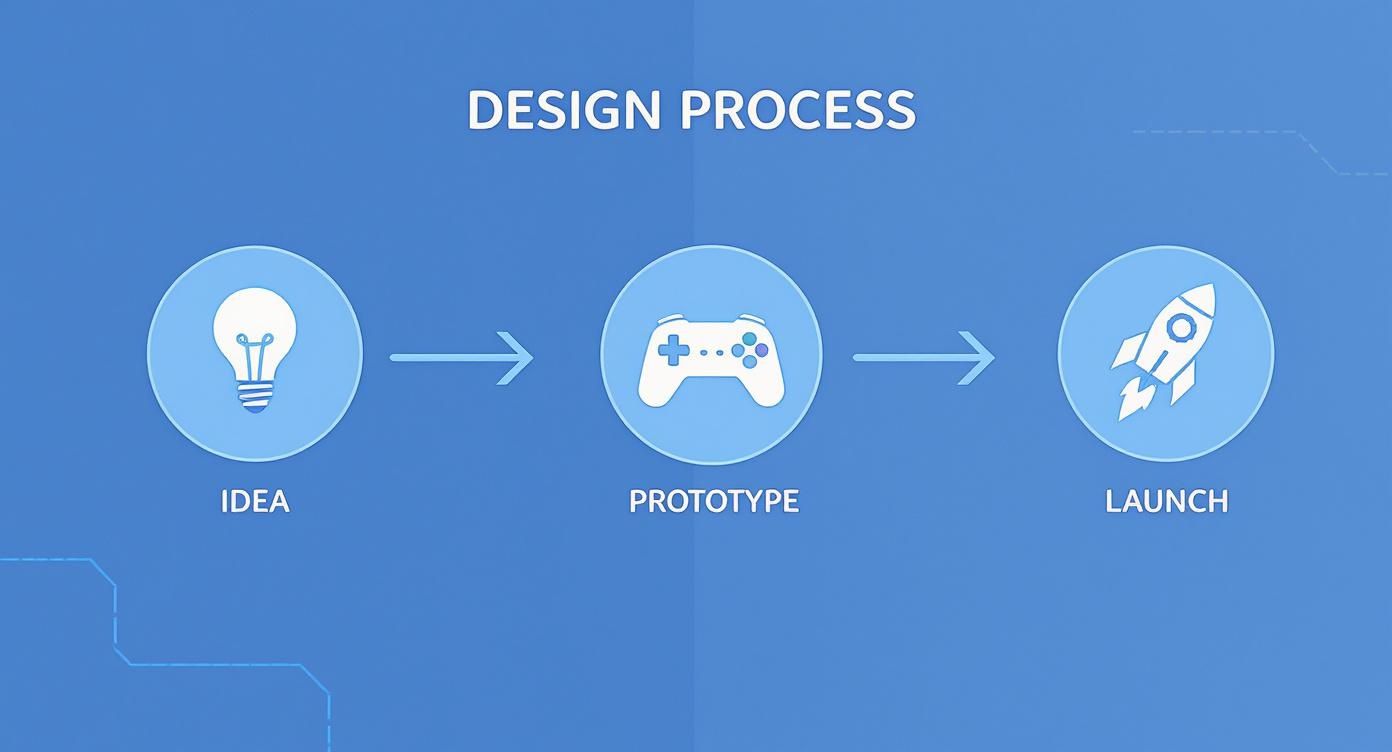
This cycle is key. Launching a game isn't a one-and-done event; it's the final step after you've bounced between ideas and prototypes until the game is genuinely polished and fun to play.
Understanding the Modern Game Design Landscape
The global video game market is a beast, hitting around $187.7 billion worldwide in 2024. That number isn't just big; it's proof that people are hungry for new, exciting games. It shows the massive potential for creators and why smart, well-executed design is more important than ever.
The biggest change in game design today is that the gatekeepers are gone. You no longer need a publisher's blessing or a bottomless budget to make your dream game a reality. The only thing standing in your way is getting started.
You are your own gatekeeper now. With the right approach and the right tools, you can pull that idea out of your head and build something real that people can actually play. The trick is to start small, nail the core fun, and expand from there.
If you’re looking at the different no-code tools out there, you might find our guide on the best video game creation software helpful. It's a solid roadmap for turning your vision into a playable reality.
Unlocking Your Next Great Game Idea with AI
Every game you’ve ever loved, from the quarter-munching arcade classics to the sprawling open-world epics, started as a tiny spark. A simple "what if?" But let's be real—staring at a blank page, waiting for that spark to hit, can feel like you’re facing the final boss before you've even cleared the tutorial.
Creative block is the worst. It’s a frustrating, all-too-common hurdle for any designer.
What if you could just… leap over it? The whole process of designing a video game kicks off with a concept, and today, you have an insanely powerful creative partner right at your fingertips: AI. Instead of waiting around for the perfect idea, you can spitball dozens of them in minutes. This is where tools like MakeGamesWithAI completely change the game before you've even made one.

This isn’t about letting a machine have all the fun. It’s about using it as a creative springboard to launch your own imagination into overdrive. Think of it as a brainstorming session with a collaborator who has an infinite supply of weird ideas and never needs a coffee break.
Crafting Prompts That Actually Spark Something
The secret to getting gold out of an AI game generator is learning how to feed it great prompts. Vague inputs will always give you generic, forgettable outputs. The real magic happens when you get specific—and a little weird.
Don't just say, "make a platformer game." Inject some flavor! Mash up genres, throw in a strange character, or define an off-the-wall setting. This specificity gives the AI concrete details to latch onto, and the concepts it spits back are infinitely richer for it.
Here’s what I mean. See how we can level up some basic prompts:
- Vague: "A puzzle game"
- Better: "A puzzle game about a time-traveling cat who has to fix historical paradoxes by rearranging furniture."
- Vague: "A shooting game"
- Better: "A top-down shooter where you're a grumpy gnome defending your garden from enchanted, vegetable-stealing snails."
See the difference? The "better" prompts instantly paint a picture. They give you a theme, a character, and a core conflict to start building from. Suddenly, the AI isn't just a generator; it’s a co-designer.
From AI Concept to Your Vision
Once the AI hands you a concept, that’s when your real design work begins. The initial idea is just the seed. It’s your job to nurture it, ask the hard questions, and shape it into something that’s uniquely yours. The AI might give you a lump of clay, but you’re the sculptor.
Let's run with that time-traveling cat idea. Immediately, you can start poking holes in it and asking critical design questions:
- What are the core mechanics? Maybe the cat can "pause" time in a room, giving you a limited number of moves to rearrange objects before time snaps back into place.
- What's the goal? The objective could be to subtly guide a famous historical figure to the correct object, preventing some kind of disaster.
- What’s the art style? A cozy, storybook aesthetic would fit that whimsical theme perfectly.
Using an AI generator isn't cheating; it's an accelerator. It helps you blow past the intimidating "blank canvas" phase and get straight to the fun part—fleshing out an idea and figuring out how to make it work.
This approach lets you test-drive concepts at lightning speed. You could generate five completely different game ideas, spend ten minutes riffing on each one, and quickly figure out which one actually gets you excited. You can see what the community has created on the MakeGamesWithAI games page for inspiration.
By using AI this way, you're not just finding an idea; you're learning how to spot potential and cultivate it. You're building that crucial designer's skill of seeing the fun in a single sentence and knowing exactly how to expand it into a whole world.
2. Nail Down Your Core Mechanics and Gameplay Loop
If your game idea is the skeleton, your core mechanics are the muscles and tendons that bring it to life. This is the fun stuff—the jumping, the shooting, the crafting, the puzzle-solving. These are the verbs of your game, the fundamental actions a player takes over and over.
But it’s more than just a list of actions. These mechanics combine to create your gameplay loop: that irresistible, repeatable cycle of activity that keeps players hooked. Think about the classics. In Pac-Man, you eat dots, you avoid ghosts, you grab a power pellet, and suddenly you’re chasing them. It's simple, brilliant, and keeps you coming back. Getting this loop right is everything.
For a long time, the biggest hurdle was turning a cool mechanic on paper into something you could actually play. That's where modern tools have completely changed the game. With something like MakeGamesWithAI, you can just describe what you want in plain English, and it builds a working prototype on the spot.

This is huge. It lets you focus on what really matters: the feel. Does the jump have the right amount of hang time? Is the weapon satisfying to fire? You can get answers to these make-or-break questions in minutes, not days.
What Really Makes a Game Mechanic?
A great mechanic feels intuitive, but under the hood, it’s a finely tuned machine with a few key parts. When you understand these components, you can design actions that feel responsive and fair to the player.
Let's look at the anatomy of a solid mechanic by breaking down its essential pieces.
Essential Game Mechanic Components
| Component | Description | Example (Super Mario Bros.) |
|---|---|---|
| Player Action | The physical input from the player. What do they do? | Pressing the 'A' button on the controller. |
| System Reaction | The immediate in-game response to the player's action. | Mario leaps into the air. The arc and height are calculated. |
| Rules & Constraints | The built-in limitations that govern the action. | Mario can only jump a certain height. He can't jump again in mid-air (at least, not in the first game!). |
| Feedback | The audio and visual cues that tell the player the action happened. | A satisfying "boing!" sound effect plays, and Mario's animation changes to a jumping pose. |
Thinking through your mechanics with this framework helps you cover all your bases and ensures the player always understands what’s happening and why.
Crafting a Gameplay Loop That Sticks
The gameplay loop is the engine that drives your entire game. A good one makes players say, "Okay, just one more try." It’s a simple, elegant structure: you present a challenge, the player uses the core mechanics to overcome it, and they receive a reward that helps them tackle the next, slightly bigger challenge.
This rhythm is what makes games so compelling. It's a constant cycle of learning, succeeding, and feeling that awesome sense of progress.
So, how do you build your own? Start by asking three simple questions:
- What's the core activity? Think about the one thing players will do most. In a zombie shooter, it's aiming and firing.
- What's the immediate goal? What problem does that activity solve? Clear the room of zombies.
- What's the reward? What does the player get for their success? Maybe some ammo, a key to the next door, or experience points.
That reward then immediately becomes useful for the next challenge, locking the player into a satisfying and self-perpetuating cycle.
The secret sauce for the most addictive gameplay loops is a simple mantra: easy to learn, difficult to master. The basics should feel natural within seconds, but the strategic depth should keep players engaged for the long haul.
This is another area where prototyping quickly pays off. Using MakeGamesWithAI, you can define these relationships with simple text prompts. You could tell it, "When an enemy is defeated, it has a 25% chance to drop a health pack. Collecting 5 health packs grants a temporary speed boost." The AI can build that logic right into your game, letting you test the balance and feel of the loop instantly.
If you want to see some great examples, check out what other people are building on the community Games page. It’s the perfect place to get inspired and see how different loops work in practice.
Building Your Game World and Levels
Alright, you've nailed down your core mechanics and the gameplay loop is starting to feel addictive. Fantastic. Now for the fun part: building the playground where it all goes down. This is where you get to transform those abstract rules into a living, breathing universe filled with challenges, secrets, and a personality all its own.
This isn't just about scattering platforms and enemies around a screen. Good level design is a subtle art. It teaches the player without a single line of tutorial text, creates those "aha!" moments they'll remember, and masterfully controls the game's pacing to keep them on the edge of their seat. You're basically becoming a director, guiding the player's eye and creating a natural flow from one challenge to the next.
The good news? You don't need an architecture degree to pull this off. The visual editor on MakeGamesWithAI lets you sketch out level ideas and see them come to life in seconds. You can plop down obstacles, draw out enemy patrol paths, and test the overall vibe in real-time. It turns what can be a tedious process into something genuinely creative and fast.
The Philosophy of Good Level Design
Let's be clear: the best levels are carefully orchestrated experiences. They aren't just random collections of stuff. They're designed to subtly guide you, challenge you, and then reward you for figuring it all out. Think of it like a conversation. You show the player what's possible, then ask them to prove they were paying attention.
Keep these core ideas in your back pocket:
- Teach, Test, Twist: First, introduce a new idea (like a simple moving platform) in a totally safe spot. Next, test their understanding with a slightly trickier version. Finally, you twist it—combine that moving platform with an enemy they already know how to beat. See? You're building complexity layer by layer.
- Risk vs. Reward: Players love being tempted. A ridiculously hard jump should lead to a hidden treasure. A dangerous, enemy-filled path might be a valuable shortcut. This gives players real choices that matter, making them feel smart when they pull it off.
- Pacing and Flow: A great level has a rhythm, like a good song. You need those heart-pounding moments of high-intensity action, but they have to be broken up by quieter periods where the player can catch their breath and explore. All-out chaos is just as boring as a completely empty room.
Designing an Intuitive User Interface
Just as critical as the world itself is how players interact with it. We're talking about the User Interface (UI) and User Experience (UX). A clunky, confusing UI can absolutely tank an otherwise brilliant game. The goal here is simple: clarity and efficiency. Key information should be available at a glance, never cluttering up the action.
When UI is done right, it's practically invisible. Players shouldn't have to hunt for their health bar or wonder how to open the menu. It should all feel second nature.
As you sketch out your UI, zero in on these elements:
- The Heads-Up Display (HUD): This is your on-screen info—health, score, ammo, you name it. Keep it clean! Shove the most critical stuff into the corners where it’s easy to see but out of the way.
- Menus and Navigation: Nothing makes a player want to quit faster than getting lost in a labyrinth of menus. Your main menu, pause screen, and options need to be dead simple to get around.
- Feedback, Feedback, Feedback: The UI must react to what the player does. They pick up an item? A little icon flashes. They take a hit? Maybe the screen flashes red for a split second. This confirmation is crucial.
A great UI empowers the player by giving them the right information at the right time. A bad UI is a constant source of friction, yanking them out of the experience and reminding them they're just playing a game.
Bringing Your World to Life
With these design ideas swirling in your head, it's time to build. And the name of the game at this stage is iteration. Your first draft of a level will almost never be the final one. And that's okay! The whole point is to build something, test it, and refine it over and over.
This is where a tool like MakeGamesWithAI becomes your superpower. You can literally drag and drop assets, nudge an enemy's position, and then immediately jump in and playtest your change. That jump feels impossible? Fine, shrink the gap. This hallway feels a little boring? Toss in a new hazard.
That rapid feedback loop is what separates the good from the great. You’re not just building a static map; you’re sculpting an experience based on how it actually feels to play. If you're ever stuck for ideas, go check out the amazing worlds other people are building on our global games page. Seeing how different creators tackle pacing and challenges is a massive source of inspiration.
How to Prototype, Playtest, and Polish Your Game
Let me tell you a secret that every seasoned game designer knows: no idea, no matter how brilliant, ever survives first contact with a real player. It’s a brutal, sometimes hilarious truth. You can pour your heart into a mechanic for months, convinced it's perfection, only to watch someone break it in thirty seconds flat.
But here’s the thing: that isn't failure. It's the most critical part of the entire process.
Making a great game isn't about having a flawless plan from the start. It’s all about iteration—that relentless cycle of building an idea, getting it into people's hands, seeing what they do, and polishing it until it shines. This is where the real magic happens, and speed is your secret weapon. Using a tool like MakeGamesWithAI, you can go from a simple idea to a playable prototype in minutes, not weeks, which is a total game-changer for this loop.
First, Build Your Minimum Viable Product
Before you even dream of building your masterpiece, you need what we call a Minimum Viable Product (MVP). This is your game stripped down to its absolute core. It contains only one thing: the main gameplay loop.
Forget the fancy art, the epic soundtrack, or the deep story. The MVP has one job and one job only: to prove that your central mechanic is actually fun. You need to answer that question as quickly and cheaply as possible.
For our time-traveling cat puzzle game, an MVP might be a single room with a couple of objects and the time-pausing mechanic. That's it. No multiple levels, no complex narrative. If players find that one interaction engaging, you've got something special. We dive deeper into this crucial first step in our guide on how to prototype the gameplay and get it right.
Run Playtests That Actually Work
Got your MVP? Great. Time to bring in the players. This can be nerve-wracking, but it's where you'll get your most valuable gold nuggets of feedback. The trick is to create a space where people feel comfortable giving you their honest, unfiltered thoughts.
Here are a few tips I've learned for getting the most out of playtests:
- Shut up and watch. Seriously. Your gut instinct is to jump in and explain everything. Don't. Let them struggle a little. Watching where they get stuck tells you more than any question ever could.
- Ask open-ended questions. Instead of a yes/no question like, "Did you like the jump mechanic?", try asking, "How did the jump feel to you?" This coaxes out descriptive, detailed answers.
- Focus on feelings, not fixes. Players are experts on what they’re feeling—frustration, confusion, excitement—but they're not designers. If someone says, "You should add a double jump," the real feedback isn't the solution. It's the problem: "I couldn't reach that platform." Your job is to find the right fix for their problem.
The goal of playtesting isn't to get a pat on the back. It's to find the cracks in your design. The more problems you find and fix at this stage, the stronger your game will be. Find the pain points, then iterate.
Turn That Feedback Into Polished Gameplay
Gathering feedback is only half the job. Now you have to sift through it all and figure out what to do next. You'll get conflicting opinions, bizarre suggestions, and everything in between. Your task is to look for the patterns.
If one person gets stuck on a puzzle, it might be an outlier. If five people get stuck in the exact same spot, you’ve got a design issue that needs your attention.
This loop—prototype, test, analyze, polish—is the very heartbeat of game design. The faster you can churn through it, the better your game will become. This is where a tool like MakeGamesWithAI is so powerful. After a playtest, you can hop into the conversational editor and make changes on the fly. You can literally tell it, "Make the player's jump height 15% higher" or "Reduce the enemy's speed by half," and have a new version ready to test in moments.
Once you’re feeling good about your progress, it’s time for more feedback. Instantly publish your game and share it on the MakeGamesWithAI Games page to tap into a global community of players and fellow creators. Getting this kind of community-driven feedback is vital, especially when you consider there are an estimated 3.3 billion video game players globally in 2024. And with digital sales now making up 95% of the market, online platforms for distribution and feedback are no longer optional—they're essential.
You can even see how your creation stacks up against others on the global Leaderboards, which adds a fun, competitive kick to the polishing process.
Got Questions About Game Design? Let's Talk.
Stepping into game design feels a lot like starting a new game on the hardest difficulty. It's thrilling, sure, but you've got a million questions and no tutorial. Don't worry, we've all been there. Let's clear up some of the most common hurdles that new creators face.
So, Do I Actually Need to Code to Make a Game?
Nope! Not anymore. While knowing how to code is a great skill, it's absolutely not a requirement to start designing and building games today. The old days of staring at a blinking cursor on a black screen are over, unless that's your thing.
Tools like MakeGamesWithAI are built from the ground up for creative people, not just programmers. You just describe your game—the idea, the rules, the look you're going for—in plain English. The AI does the heavy lifting and spits out a working prototype. This lets you focus on what really matters: the fun factor, the story, and how it feels to play. You get to be the director, not the code monkey.
How Long Does It Really Take to Make a Simple Game?
This is the classic "how long is a piece of string?" question. Traditionally, even a "simple" game could easily eat up weeks, if not months, of your life. There was the planning, the coding, the art creation, the bug hunting… it was a marathon.
But AI has completely flipped the script. With a platform like MakeGamesWithAI, you can go from a thought in your head to a playable game in hours, sometimes even minutes. Seriously. The platform handles the grunt work of generating code, assets, and levels based on what you tell it. This means you can test an idea almost as fast as you can think of it, which is an insane advantage.
What Skills Are Actually Important for a Game Designer?
Forget what you think you know. While technical chops are nice, the real magic comes from a few skills that no machine can replicate: creativity, empathy, and a knack for problem-solving.
- Creativity: This is your secret sauce. It’s what lets you dream up worlds no one has seen and mechanics that feel fresh and exciting.
- Empathy: You have to get inside your player's head. What will make them laugh? What will frustrate them (in a good way)? If you're only designing for yourself, you're missing the point.
- Problem-solving: Game design is basically just a series of interesting problems. "This level is boring, how do I fix it?" or "This mechanic is too confusing, how do I simplify it?" It's a constant puzzle.
At the end of the day, tools can build the house, but you're the architect. These creative skills are what turn a collection of code and pixels into an unforgettable experience.
Where Do I Get Art and Sound Without Going Broke?
Ah, the eternal struggle. Finding good-looking sprites, backgrounds, and sound effects can be a massive, and often expensive, roadblock. You used to have three options: learn to do it yourself, hire someone, or spend a fortune on asset stores.
This is another area where AI is a lifesaver. MakeGamesWithAI has AI art generation baked right in. You can literally just type "pixel art fantasy castle" or "gritty cyberpunk street" and watch it create custom assets for you. If you're not feeling that specific, you can pull from a library of over 100 professional gaming assets ready to go.
This completely removes one of the biggest barriers for new designers. You get a unique, consistent art style that matches your vision without needing an art degree or a big budget. Check out the community Games page to see just how different and cool the results can be.
Ready to stop thinking about it and start building? With MakeGamesWithAI, you can bring that game idea to life in minutes. No code, no excuses. https://makegameswithai.com/