Game Development for Beginners: Create Your First Game Without Coding
Here's the secret to getting started in game development: start small and finish fast. Forget everything you've heard about needing to be a coding wizard. With an AI-powered tool like MakeGamesWithAI.com, you can ditch the code and leap straight into the fun part—creating. We're talking about turning your killer idea into a playable game with leaderboards and a global arcade in just a few hours, not a few months.
Your Adventure in Game Development Starts Now
Ever get that flash of inspiration for a game, that "what if…" moment, only to have the excitement fizzle out when you think about programming, complex software, and mind-numbing tutorials? Yeah, you're not alone. For a long time, the path to making games was guarded by a steep wall of code and technical jargon.
But the game has changed.
This guide is your express lane to becoming a game creator. We're deliberately taking a shortcut, blowing past the traditional, often frustrating, slog of learning a programming language from scratch. Instead, you'll learn by doing, using a platform that translates your plain English descriptions into a living, breathing game.
Why Starting Small Is a Big Deal
The secret weapon of so many successful indie developers isn't a massive budget; it's focus. It’s about nailing one great idea and executing it perfectly. Just look at smash hits like Flappy Bird or Vampire Survivors. Both are built around a single, absurdly addictive core mechanic.
That's your goal for your first project: keep it small, make it fun, and—most importantly—get it finished. This is how you build real confidence and actually learn the fundamentals of game design in a hands-on way.
The Old Way vs. The AI Way
Getting into game development used to be a real grind. The traditional path meant downloading a game engine and then spending weeks, maybe even months, wrestling with C# or C++ just to get a character to jump. While workhorse engines like Unity are behind over 70% of all new mobile games, they throw a massive learning curve at beginners.
Thankfully, you don't have to start there anymore. As you can see from trends in this video game statistics report, the tools are getting better and more accessible. Today, you can go from a spark of an idea to a playable prototype in a fraction of the time, making game dev one of the most inviting creative fields out there.
The fastest way to learn game development is by making games, not by reading about making them. An AI tool rips out the biggest roadblock—coding—so you can focus entirely on your creative vision from day one.
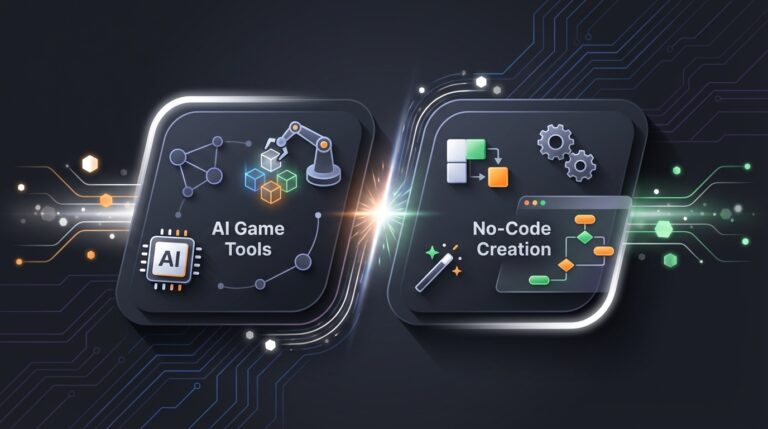
The image below paints a pretty clear picture of the difference between the old-school, code-heavy slog and the new AI-powered sprint.
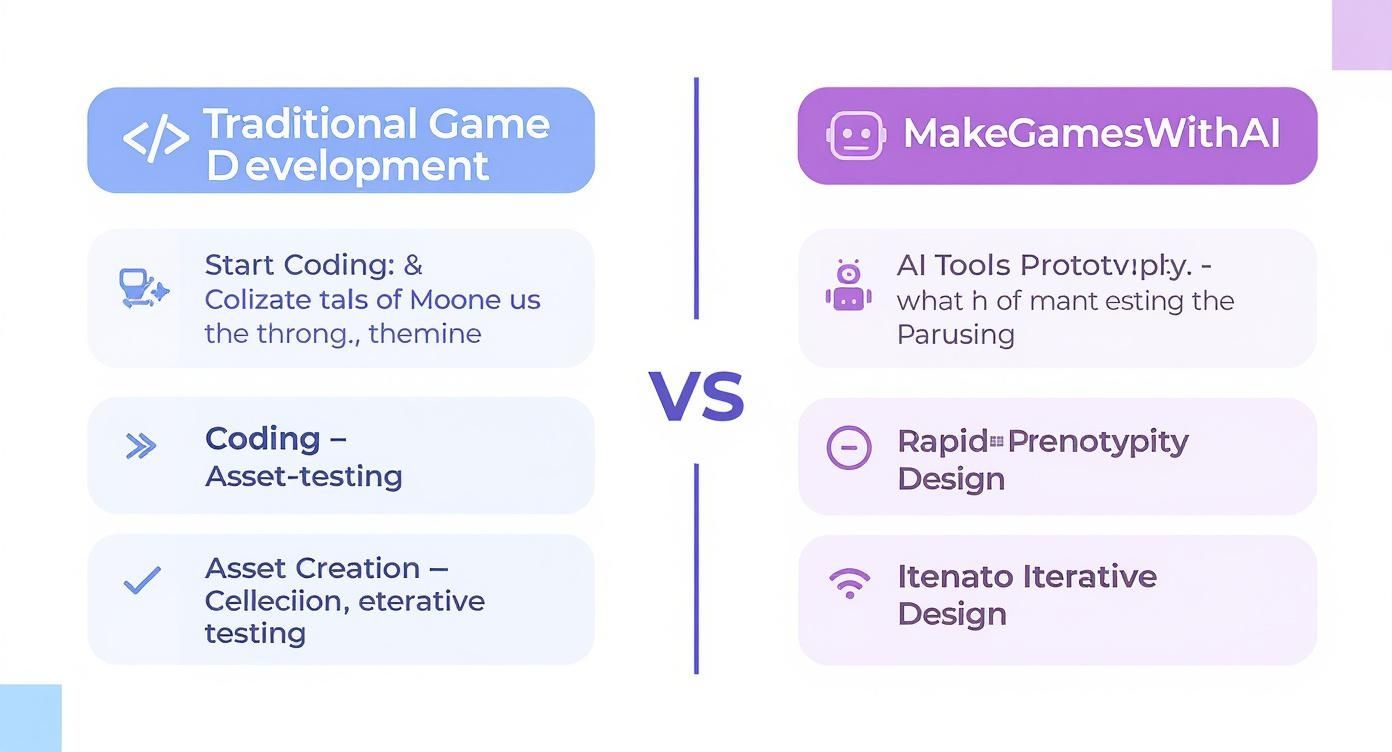
This side-by-side really brings it home. AI closes the gap between concept and creation, letting you experiment, fail, and tweak your ideas at a speed that was unimaginable just a few years ago.
Why Start Your Game Dev Journey with MakeGamesWithAI
To really understand the difference, let's break down the two paths. For a complete beginner, the contrast is stark.
| Feature | Traditional Game Dev Path | MakeGamesWithAI Path |
|---|---|---|
| Initial Hurdle | Learning a programming language (C++, C#, etc.) from scratch. | Describing your game idea in plain English. |
| Time to First Game | Weeks or months of tutorials before a basic prototype is ready. | A playable game generated in minutes, playable in hours. |
| Required Skills | Coding, engine-specific knowledge, asset integration, debugging. | Creativity and clear communication. |
| Iteration Speed | Slow. Changing mechanics often requires significant code rewrites. | Fast. Tweak gameplay, art, and rules with simple chat commands. |
| Focus | Technical implementation and troubleshooting code errors. | Game design, player experience, and creative fun. |
Ultimately, one path is about becoming a programmer who makes games, while the other is about becoming a game designer, period. You can always pick up the coding later if you want to—but this way, you start by falling in love with the creative process first.
Brainstorming Your First Unforgettable Game Idea
Every epic game you’ve ever obsessed over started as a tiny spark of an idea. But before you start mapping out your sprawling open-world masterpiece, let’s rein it in. Way, way in.
The real secret to not flaming out on your first try is to build something small, ridiculously fun, and, most importantly, finishable.
Forget about inventing the next big thing. Seriously. Your first mission is to get a win on the board, and the fastest way there is by riffing on classic, time-tested game concepts. Think about those simple games that are so easy to learn but so hard to put down. That's our target.
Finding That "One Thing"
The soul of any simple, addictive game is its core mechanic. This is the single, central action the player does over and over again. Everything else—the art, the sound, the story—is just there to make that one action more awesome.
Let’s break it down with some classics:
- Endless Runner: The game is all about dodging stuff. You jump, you slide, you swerve. That’s it.
- Top-Down Shooter: The core mechanic is pure aim-and-shoot chaos. You move, you point, you blast waves of baddies.
- Platformer: It all comes down to nailing the jump. Precise leaping and landing is the name of the game.
Forget a 50-page game design document. Your entire concept should fit on a sticky note. The idea is to get a laser-focused goal that will keep you from getting distracted by shiny new features.
A killer game idea for a beginner can be explained in one sentence. If you need a whole paragraph to describe what the player does, it’s probably too complicated for your first project.
Once you’ve got that one perfect sentence, you can start to flesh it out, but don't go crazy. You really don't need much to get rolling, especially when you’re using a tool like MakeGamesWithAI.com that lets you spin up and test ideas in minutes.
Your Napkin-Sized Game Plan
To give your idea some legs, just answer these three questions. This is your entire blueprint. No flowcharts required.
- What’s the one-sentence concept? (e.g., "A side-scroller where a squirrel hops between trees to grab acorns.")
- How do you win or lose? (e.g., "Win by grabbing 50 acorns; lose if you fall 3 times.")
- What are the 3-5 core actions? (e.g., "Move left, move right, jump, double jump.")
And that’s it. That’s the whole plan. This super-lean approach gives you a clear, achievable target. It stops you from getting lost in the weeds and ensures you actually finish what you start.
If you’re still drawing a blank, we’ve got you covered. Check out our list of basic game ideas perfect for beginners to get the juices flowing. With your simple plan in hand, you're ready for the fun part: actually making this thing.
Bringing Your Game to Life with AI Prompts
Alright, this is where the magic happens. You’ve boiled down your grand vision into a killer one-sentence idea, and now it’s time to breathe life into it. This is the moment where game development for beginners stops being theory and becomes pure, hands-on creation—and you won’t touch a single line of code.
Here at MakeGamesWithAI.com, your most powerful tool is your imagination, translated into simple text prompts. Think of it like having a conversation with a game design genie. You describe what you want, and poof, it builds it for you on the spot.
Let's stick with our trusty knight idea. Instead of staring at a blinking cursor in some intimidating code editor, you just type this into the prompt bar:
Create a 2D platformer game where a brave knight collects gold coins and has to avoid fireballs shooting from the floor.
That’s literally it. In under a minute, the AI spins up a complete, playable game based on your words. Suddenly, you have a character that runs and jumps, shiny coins to snag, and fiery death-traps to dodge. You’ve just accomplished in seconds what would take a beginner days, if not weeks, to program from scratch.
Refining Your Game with Simple Conversation
But that first version? That’s just your lump of clay. The real fun starts when you begin to shape it into your game using the conversational editor. It's basically an ongoing chat where you fire off follow-up commands to tweak, add, or change anything and everything.
Maybe you play your new knight game and think, "Hmm, the jumping feels a bit… floaty." No need to wrestle with physics variables. You just tell the AI:
- "Make the knight's jump a little shorter and faster."
- "You know what? Give the knight a double-jump."
- "Crank up the player's movement speed by 15%."
Every command polishes the experience. Feeling the background is a bit bland? "Change the background to a spooky, haunted castle with occasional lightning flashes." Need more action? "Add a flying bat enemy that moves back and forth across the screen." This creator-first approach is fundamentally changing how games are made. If you want to dive deeper, you can explore the growing role of AI in game development and see just how big this shift is.
Just check out the incredible variety of games our community has already brought to life using this exact process.

This gallery is packed with everything from frantic top-down shooters to mind-bending puzzle platformers, all born from simple text and creative iteration.
From Core Mechanics to Visual Flair
This back-and-forth isn't just for gameplay nuts and bolts; it's for shaping the entire mood and soul of your world. The wall between your imagination and what you see on the screen has practically vanished.
Here are a few ways you can direct the vibe of your game:
- Gameplay Feel: Inject personality with prompts like, "Make enemies explode into confetti when defeated" or "Add a satisfying 'cha-ching!' sound when I collect a coin." These little touches make a game feel alive.
- Visual Style: You're the art director. Try "Give the game a retro, 8-bit pixel art style" or go the other way with "Use a cartoonish art style with bright, vibrant colors."
- Difficulty Tuning: Is your game a bit too punishing? Just say, "Make the fireballs move slower" or "Give the player three lives instead of one." Problem solved.
You are the director, and the AI is your infinitely patient, lightning-fast development team. You can experiment, take back a change you don't like, and test new ideas in real-time until the game feels just right. This rapid-fire cycle of trying and tweaking is the absolute best way to learn game design, turning you from a passive player into a confident creator.
Testing Your Creation and Climbing the Leaderboards
Alright, you've coaxed an idea out of your brain and into the AI, and now you have a real, playable game. Congratulations! But don't pop the champagne just yet. The most important—and honestly, the most fun—part is next: playtesting.
A game is just a bunch of code until someone actually plays it. That immediate feedback loop you get at MakeGamesWithAI.com is your new best friend. It’s time to stop being a creator and start being a player.
Using Leaderboards for Smart Game Design
The moment your game works, you need to find out how it feels. Is it a frantic, edge-of-your-seat challenge? Or is it a bit of a snoozefest? This is where our built-in global leaderboards become your secret weapon for balancing the whole experience.
Don't just play your game; study it. Grab the link, send it to a few friends, and dare them to knock you off the top spot. I'm serious—watching someone else play your game for the first time is one of the most brutally honest and eye-opening experiences you can have. It’s raw, unfiltered feedback on what’s clicking and what’s falling flat.
Just look at the kind of data you can pull from the leaderboard page for any game on the platform.
This simple scoreboard is a goldmine. It tells a story. If everyone's scores are pathetically low, that’s a huge red flag that your game might be a brick wall of difficulty right from the get-go.
This data gives you a clear direction for your next move. See that nobody is surviving the first wave of alien invaders? That’s your cue to hop back into the conversational editor and type, "Reduce the speed of the first obstacle by 20%."
This little loop—playtest, get feedback, make a tiny tweak—is the secret sauce. It’s how you turn a clunky prototype into something genuinely addictive. If you want to really master this part of the process, we have a whole guide on how to prototype the gameplay effectively.
A classic rookie mistake is making a game that only you, its creator, can beat. Your friends are your reality check. If they can’t get into it, you have a design problem, not a player problem.
This whole process isn't just about squashing bugs. It's about fine-tuning the emotional rollercoaster for the player and finding that perfect sweet spot between challenge and reward.
Effective Playtesting Feedback Checklist
To get the best results from your testing, you need to ask the right questions. This checklist will help you turn your observations (and your friends' complaints) into clear, actionable commands for the AI.
Effective Playtesting Feedback Checklist
| Category | Question to Ask | Example AI Command for a Fix |
|---|---|---|
| Difficulty | "Where are players getting stuck or quitting most often?" | "Make the gap between the first two platforms smaller." |
| Fun Factor | "What parts make players laugh, cheer, or get excited?" | "Add a particle explosion effect when an enemy is defeated." |
| Controls | "Do the controls feel responsive and intuitive?" | "Increase the player's jump height slightly." |
| Clarity | "Is the main objective immediately clear to a new player?" | "Make the collectible coins glow so they stand out more." |
With this framework, you're not just guessing what needs to be fixed. You're making targeted, informed changes that will make your game way more fun for everyone.
Time to Go Live: Publishing Your Game and Joining the Community
You did it. You wrestled with mechanics, tweaked the assets, and survived the testing phase. Now for the best part: the victory lap. It's time to share what you’ve built with the world. For any beginner, this moment is huge, and thankfully, a platform like MakeGamesWithAI.com makes it ridiculously easy. Forget wrestling with web hosting or complicated deployment scripts. You’re literally one click away from being a published game developer.

Seriously, one click is all it takes. Your game goes live in our community games arcade, ready for anyone on the internet to find and play. This isn't just about showing off—it’s about closing the loop on your very first project and getting that incredible rush of accomplishment that will have you itching to start the next one.
Give Your Game a Little Extra Polish
Before you smash that publish button, let's give your game the best possible chance to shine. A great title and a punchy description can be the difference between a player scrolling past or jumping right in.
- Pick a Killer Title: Keep it short, sweet, and connected to the gameplay. "Knightly Kapers" has way more personality than "Knight Game v1," right?
- Hook 'Em with the Description: Nail the pitch in a sentence or two. What's the goal? What's the challenge? Something like, "Leap across treacherous platforms as a brave knight! Snag as many coins as you can before the fireballs get you. Can you top the leaderboard?" works perfectly.
These little touches are like the cover of a book; they set the stage and get people excited to see what’s inside.
Releasing your first game, no matter how simple, is a monumental step. It transforms you from someone who wants to make games into someone who has made a game. That shift in identity is more valuable than any tutorial.
You're Now Part of the Club
Publishing isn't the end of the road; it’s your ticket into a massive community of other creators. Honestly, one of the fastest ways to level up your own skills is to see what everyone else is up to.
Go explore the community games arcade and just play stuff. You'll be blown away by the creativity and clever ideas other beginners are bringing to life. It’s an endless well of inspiration and a great way to see how other people solved problems you might be facing.
Don't forget to hit up the global leaderboards and see what's trending. Ask yourself what makes those top games so sticky. Why do you want to play just one more round? By playing and pulling apart other games, you’ll start developing a gut feeling for what makes a game truly fun. This community isn’t just a showcase; it's a living library of ideas that will fuel your next project.
Your Burning Questions Answered
Diving into game development is a blast, but let's be real—it can also feel like you're staring at a giant, confusing map with no "You Are Here" sticker. It's totally normal to have a ton of questions. We've been there.
So, let's tackle the big ones. Think of this as a chat with a seasoned dev who’s happy to give you the straight scoop on starting your journey with tools like MakeGamesWithAI.com.
What's the Right Headspace for a Beginner?
This is the most important question, and the answer is simple: embrace the small wins. Seriously. Your first mission isn't to build the next Stardew Valley. It's to actually finish something. Anything.
Get comfortable with the idea of making what I call "throwaway games." These are projects you build just for the sheer joy and experience of it, not for fame or fortune. The temptation to add "just one more cool feature" is a notorious trap that leaves countless amazing ideas gathering dust on a hard drive. Don't fall for it. A tiny, complete, polished game is worth a hundred half-baked epics.
Do I Really Need to Learn to Code?
Short answer: Nope. Not unless you want to.
You can build some seriously fun and impressive games on our platform without ever looking at a line of code. Plenty of fantastic creators stick with no-code tools for their entire careers and do just fine.
But if you find yourself dreaming up super-complex mechanics that are a bit beyond what you can describe in a prompt, then yeah, learning a language might be your next adventure. Something like C# for Unity or GDScript for Godot would be the way to go. The cool part? By the time you get there, you'll already understand game logic and design, which makes picking up the syntax a whole lot easier. You'll have a reason why you're learning to code.
Okay, Let's Talk Money. What Can I Actually Earn?
Alright, time for a reality check. It's the question everyone has, and it's crucial to be honest about it. Making a living from your first indie games is tough. In fact, it's incredibly tough.
Some industry research shows that only about 10–15% of indie games on major platforms pull in more than $10,000 in their first year. For a deep dive into the numbers, check out industry reports like the Unity Gaming Report. For someone just starting out, this means your early projects are your tuition. They’re for building skills, not your bank account.
Treat your first ten games as your education. Your goal is to learn, experiment, and find your creative voice. If one happens to find an audience, that’s a fantastic bonus, not the primary objective.
I Finished My First Game! Now What?
First off, do a little happy dance! You just did something most people only ever talk about.
Now, ride that wave of momentum and start thinking about the next small thing. What part of the process got you the most fired up?
- Loved tweaking the difficulty and game balance? Maybe your next project should have a few distinct, challenging levels.
- Was designing the art and sound your jam? Lean into that and create a game with a really strong, unique aesthetic.
- Did you get a kick out of watching players fight for the top leaderboard spot? Your next game could be built from the ground up for pure, high-score-chasing competition.
Need some ideas? Go hang out in the global games gallery. Play what other people have made, see what's possible, and let their creativity spark your own. This whole journey is just a series of small, fun steps—and the most important one is always the one you're about to take.
Ready to stop wondering and start creating? At Make Games With AI, you can build your first game in minutes without writing a single line of code. Describe your idea, and watch it come to life.
Start creating your first game for free at https://makegameswithai.com/